Get Those Photos Up There!
Are you still posting links to your Instagram product photos on Twitter? Now that Twitter shows inline photos, who wants to bother with clicking links? Personally, I’m finding that photos within the Twitter app (and on my mobile phone, Tweetcaster) really make a difference, and that I’ve found I have started to resist clicking through to Instagram.
I strongly urge you to post inline photos directly to Twitter, as these are proving to increase retweets and click-throughs. According to Buffer,
• Tweets with images received 18% more clicks than those without.
• Tweets with images received 89% more favorites.
• Tweets with images received 150% more retweets.

(See how that worked? I could have simply written those stats within the paragraph, but a bullet list and visual grabs interest better, heh.)
But back to Twitter and Instagram. I got curious and sifted through my many Twitter lists specifically looking at who was posting photos. Interestingly, my social media list and craft/artisan list were surprisingly bereft of photos. Knowing the importance of visual impact on social media, why aren’t more people doing posting photos on Twitter?
We all know that juggling various social media accounts is time consuming and pushing notifications to multiple channels saves many a headache. How can we skip this extra step or make it a bit easier? I found that using the Instagram “share” function to Twitter only creates a link, but doesn’t post the photo directly. Boo.
[pullquote]Knowing the importance of visual impact on social media, WHY aren’t more people doing posting photos on Twitter?[/pullquote]
Unfortunately, Buffer, which I sometimes use to multi-post to any combination of FaceBook, LinkedIn, Google+ and Twitter, does not support Instagram, so that one is out. I understand, however, that Hootsuite does support inline photos for Enterprise and Pro accounts; since I do not use Hootsuite, I haven’t confirmed whether free accounts still do not have this ability (perhaps one of you Hooty readers can chime in?) but considering the growing importance of the feature and Hootsuite’s prominence as a social media tool, I wouldn’t be surprised to see it rolled out to free accounts.
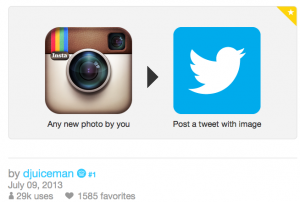
For those comfortable with IFTTT (If This, Then That), using the techniques described in this article will allow you to automatically post to Twitter when you post to Instagram. In addition to the “recipe” the author posted, this IFTTT recipe also seems to be a favorite. I just tested it — it took a good 15 minutes but it was easy.
Make ’em Look Good!
So [inlinetweet prefix=”Testing tweetable WP content my my blog: ” tweeter=”@rotemstudio” suffix=”suffix!!”]now that we know that Twitter photos have a positive effect, how can we present them to look enticing in the timeline?[/inlinetweet]
Only yesterday I posted to Twitter these two photos from my neighborhood potluck picnic, of which I was co-chair. Bad enough the combination of sun glare and cell phone photo was crummy to being with; the display within Twitter made the appearance to our event of two honored officials dreadfully unfortunate. Witness the midriff of L.A. Council Member Mike Bonnin, and U.S. Rep. Janice Hahn’s torso. Not the effect i was going for.

Then today, along came this very helpful article from Social Media Examiner. While some of the tips are limited to the mobile twitter app (like the ability to post multiple photos, which I find I do not have on my desktop), knowing how to position your photo for the best inline view is quite useful, even if you don’t get quite as mathematical about it — now that I’ve seen an example with guides I’ll hopefully be able to crop a photo to position the best part most appealingly. Tagging people is another feature that is currently mobile-only. However, posting more than one photo, and being able to edit a photo from within the mobile Twitter app is a really nice feature, one that might entice me to grab my phone at time, even when I am sitting at my Mac, and worth switching back to from TweetCaster.
Looking forward to seeing more of your photos in my timeline!